





Description
SPECIFICATIONS
Brand Name: ALLOYSEED
Certification: NONE,None
High-concerned chemical: None
Model Number: Wireless Phone Selfie Photo Shutter
Origin: Mainland China
Package: Yes
Use: Universal
Wireless Communication: Bluetooth

7 Buttons Wireless Phone Selfie Photo Shutter Rechargeable Bluetooth-Compatible Page Turner for Video Selfie Stick Camera Controller Compatible with Xiaomi IPhone Samsung Mobile Phone
Feature: 1. Remote Photo Capture: The wireless phone selfie photo shutter features a built-in smart Bluetooth-Compatible chip, allowing you to take photos from up to 15 meters away. With 7 buttons, it seamlessly connects for , providing multifunctional control for media playback and camera shutter. Capture life's moments effortlessly, no matter where you are. 2. Enhanced for Experience: Elevate for experience with the page turner remote controller. Easily like and browse through videos with hands-free convenience, including up/down paging, right/left swiping, pause/play, and double-tap to like. Free your hands and enjoy a smoother viewing experience. 3. Easy Page Turning: The remote controller offers simple operation with one-button connection for instant use. Just turn on your phone's Bluetooth-Compatible for quick pairing. Once connected, enjoy hands-free scrolling and quick left/right page turning on your smartphone or for iPad, perfect for watching short videos or using certain novel apps. 4. and Portable: The smart remote is made from high-quality ABS material, making it drop-resistant, sweat-proof, and pressure-resistant for a comfortable grip. It includes a built-in 200mAh rechargeable battery with long battery life, saving you the hassle of frequent battery changes. Its compact and lightweight design means you can easily carry and use it on the go. 5. Wide Compatibility: The universal remote control is compatible with most devices and supports both for iOS and for Android systems. for iOS users need to enable the assistive touch function in settings. It works with popular apps (short videos, camera, novels, etc.), making it the perfect companion for those who prefer convenience and ease.
Specification:
Apple mobile phones/tablets for iPhone and for iPad (for iOS system users) need to turn on the auxiliary touch function, go to (Settings-Accessibility-Touch-Assistive Touch-On), and adjust the tracking sensitivity to 10%-50% on this page;

1 X Remote Control
1 X Charging Cable 1 X Instruction Manual 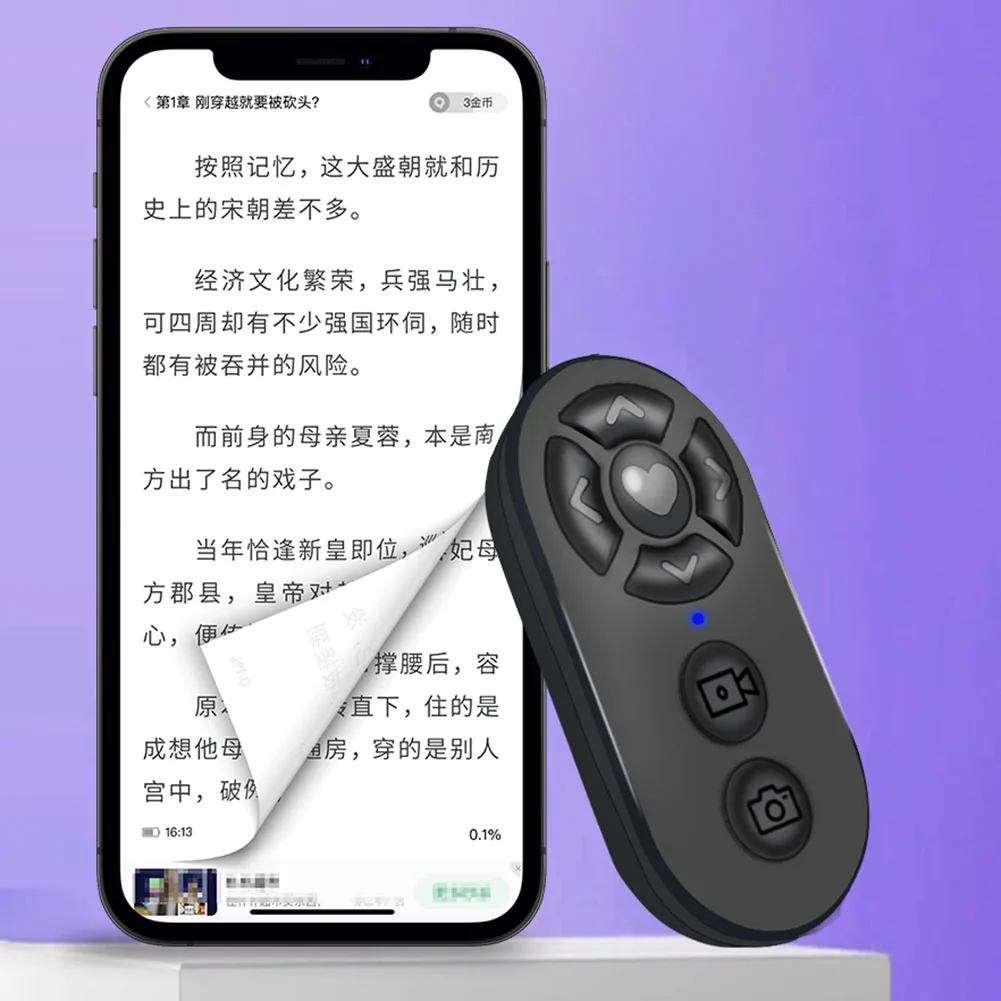 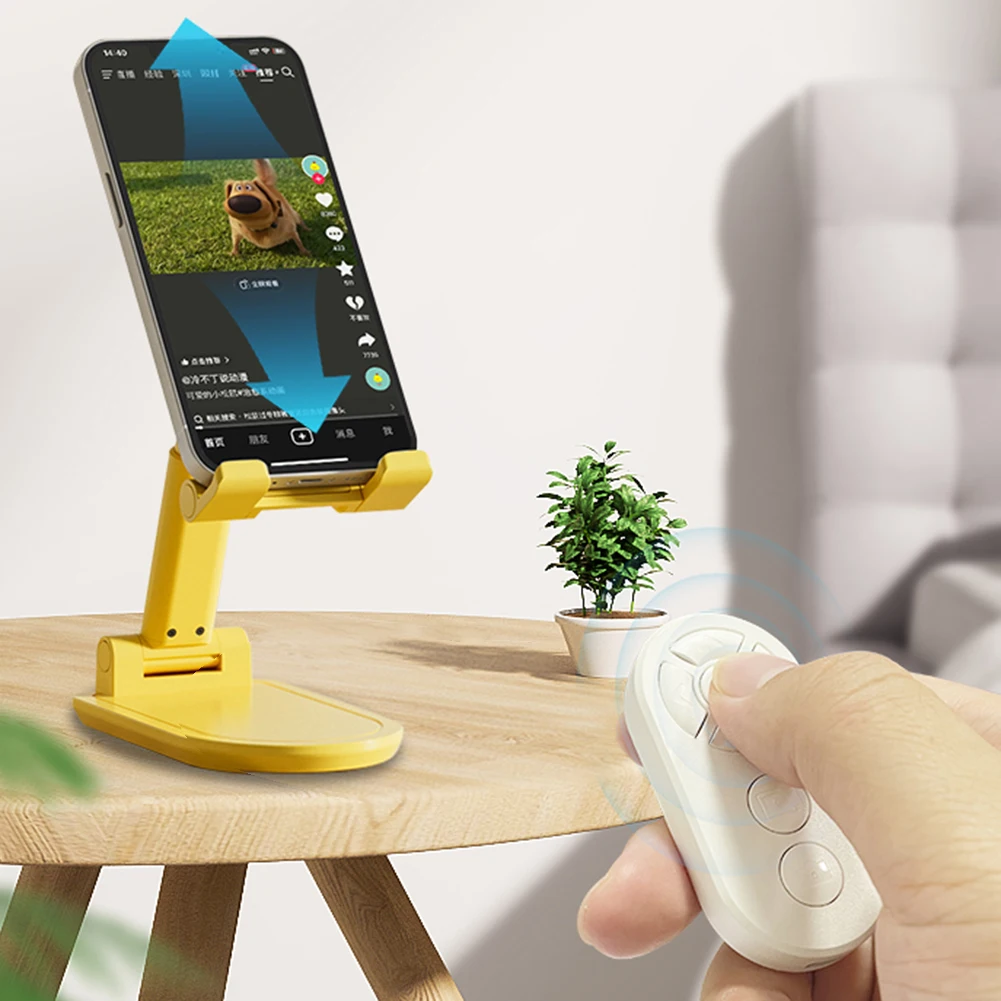 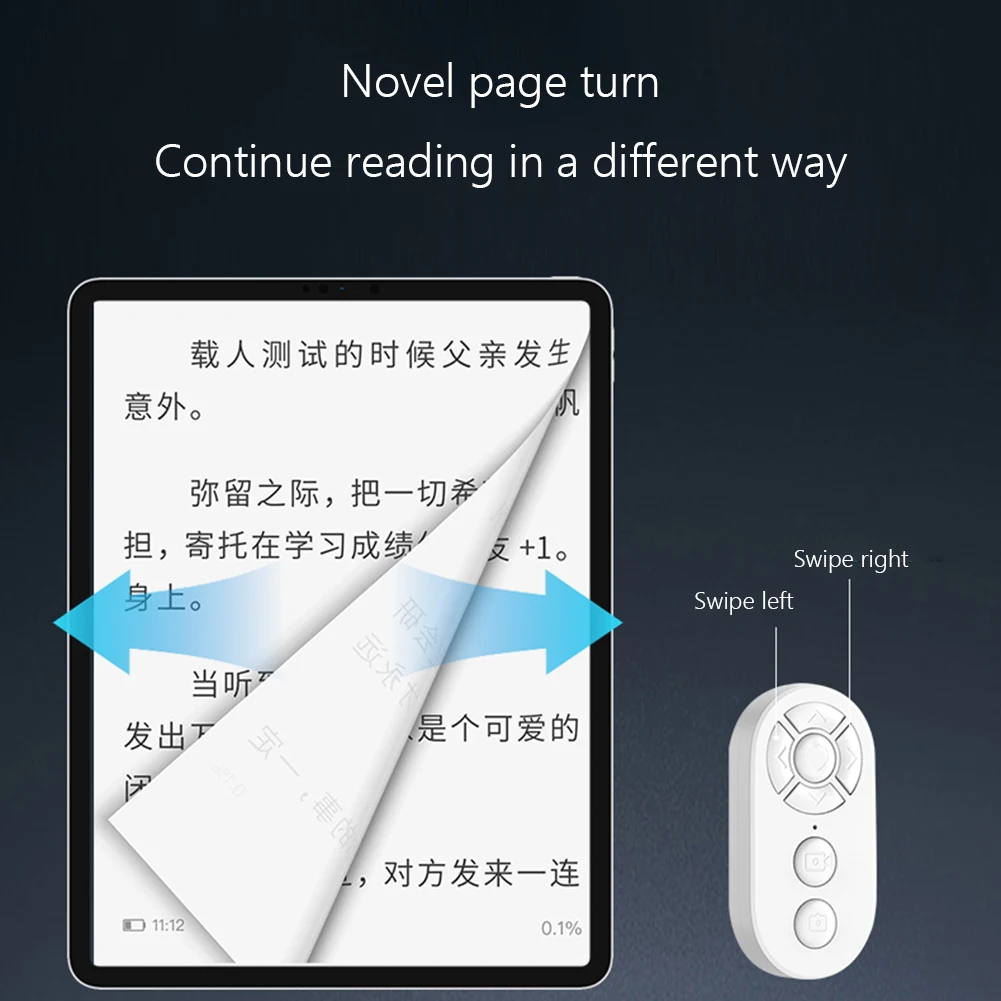 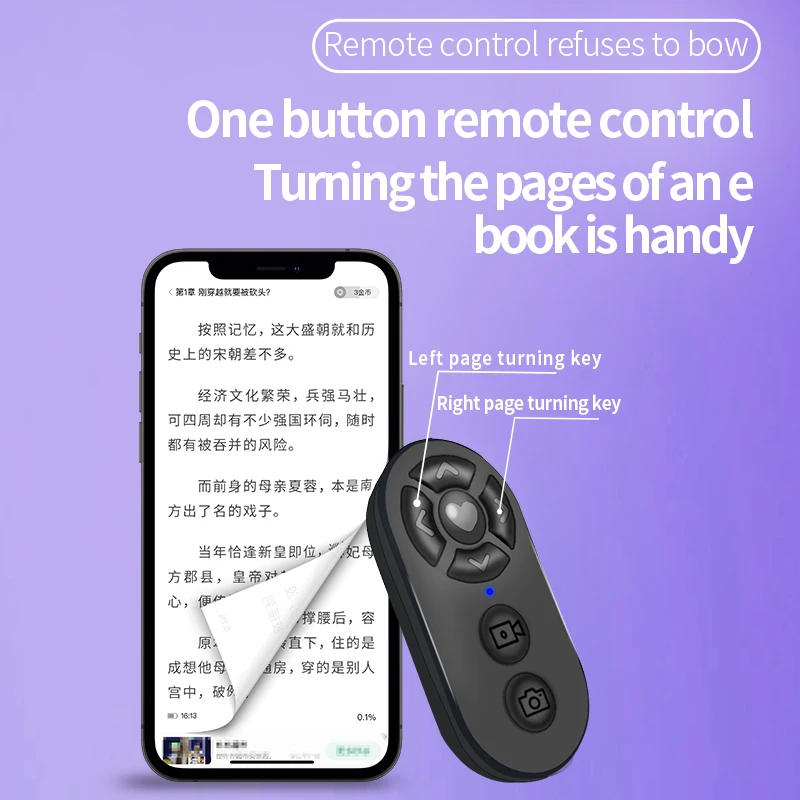 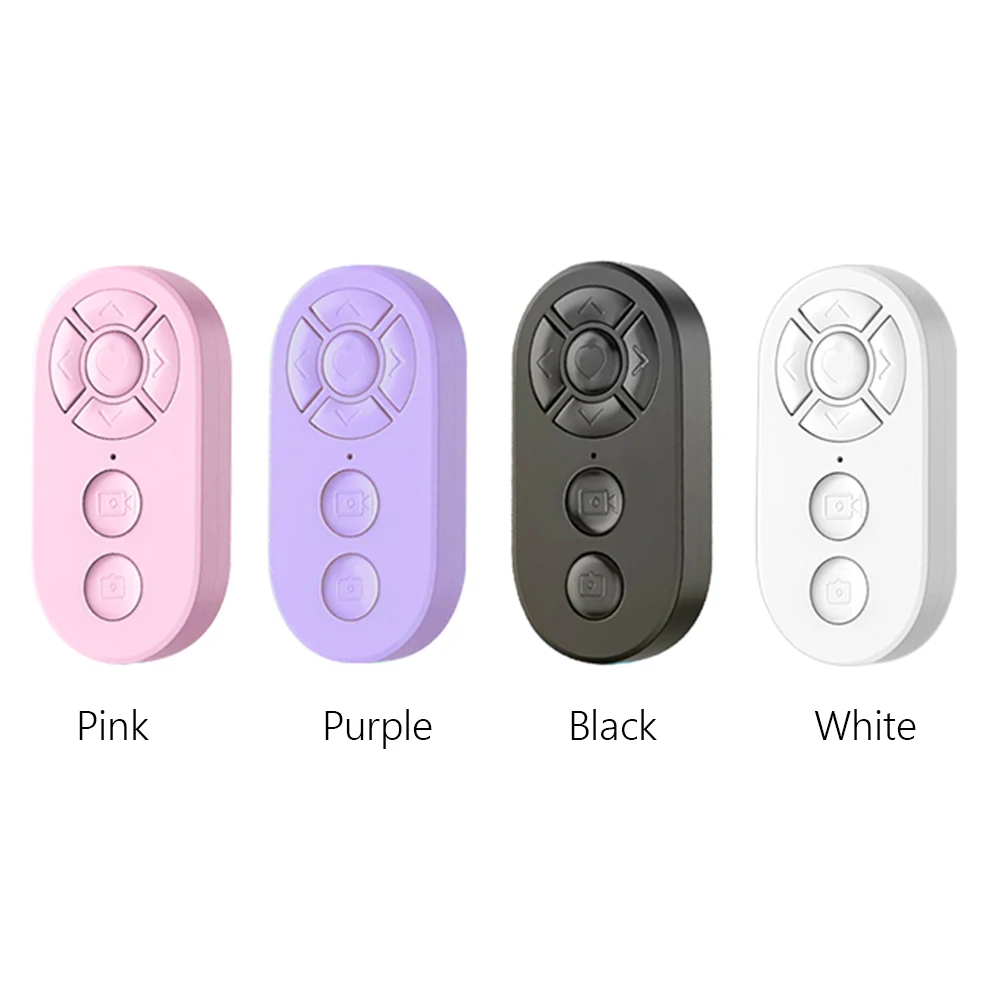 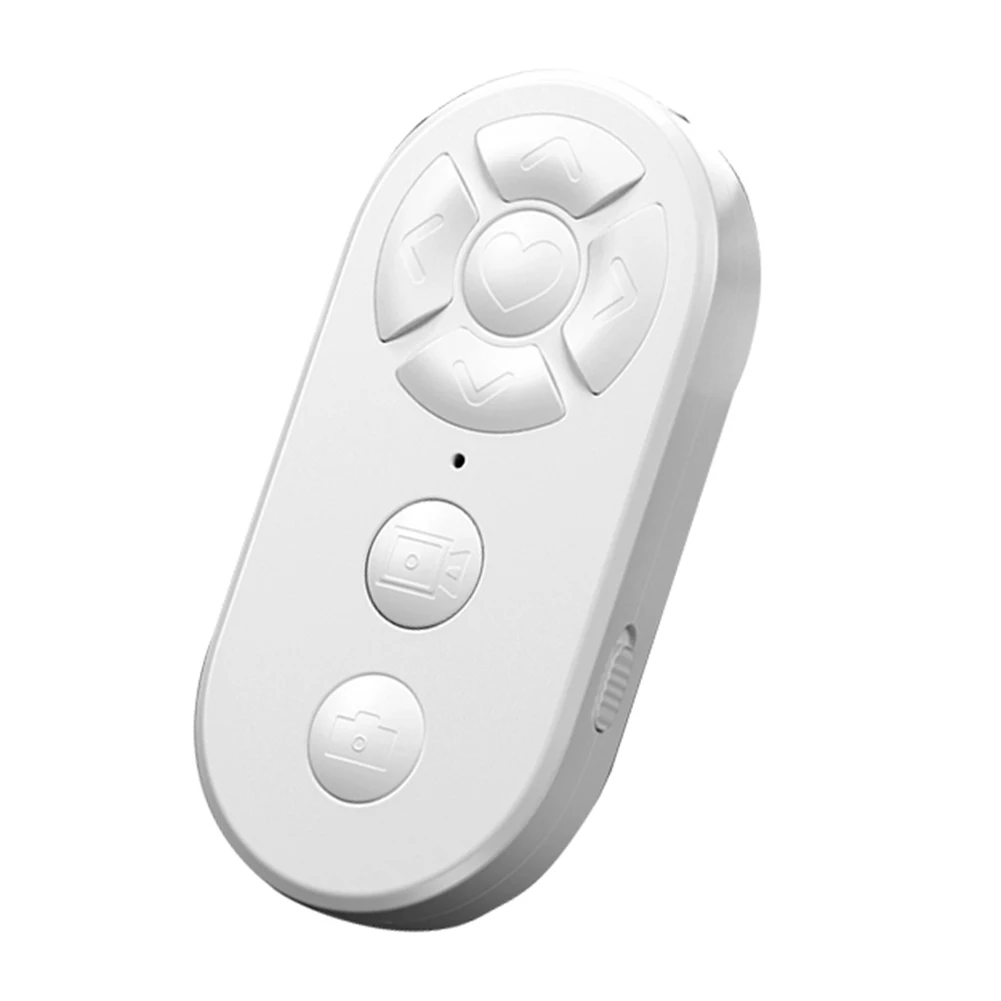 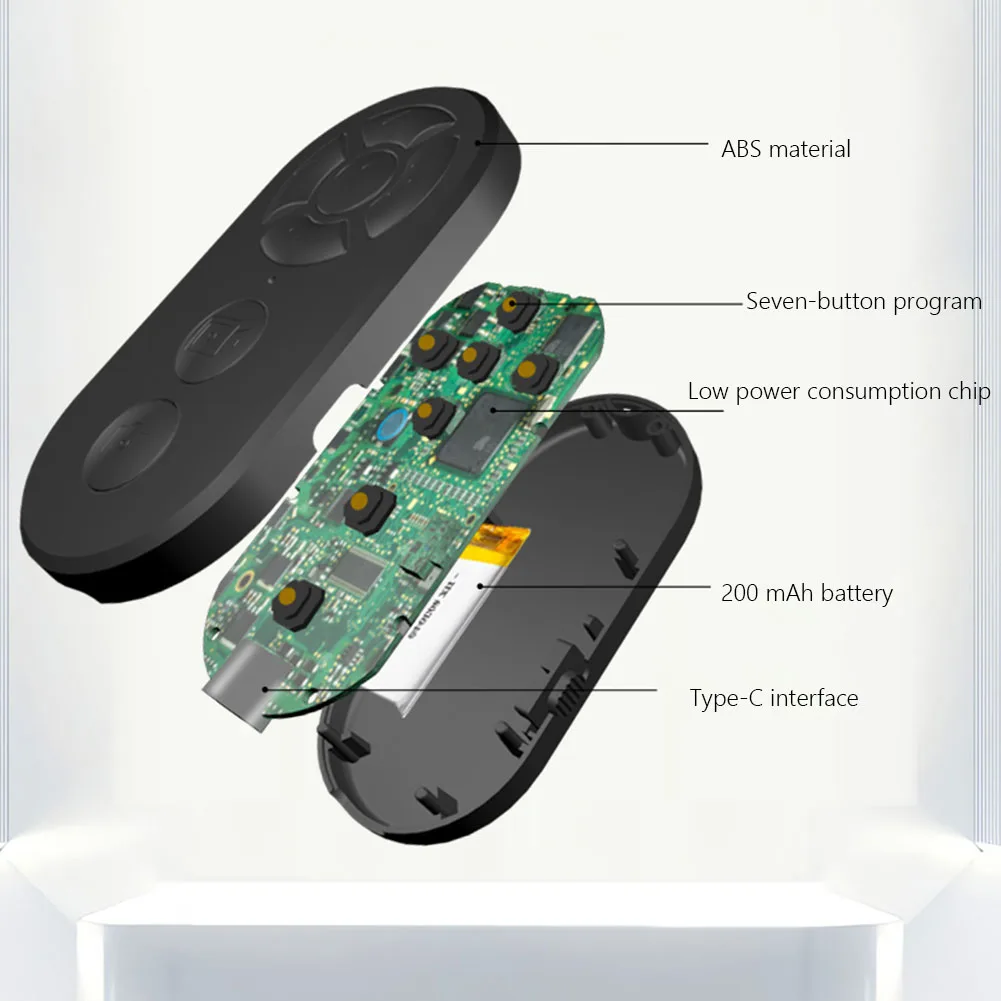 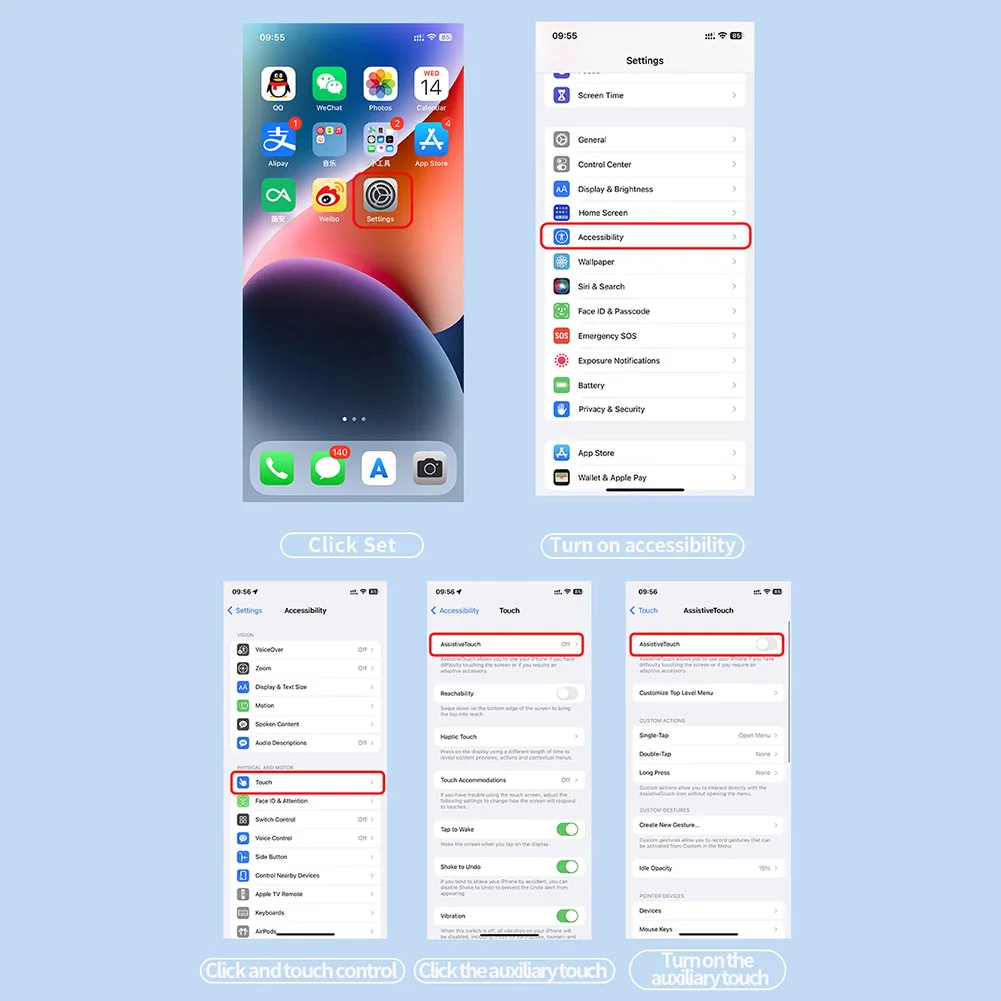

 |
By NovaGadgets.com
7 Buttons Remote Controller Rechargeable Bluetooth Camera Control
Guarantee safe checkout
Orders over $65 and subscriptions ship for free! Orders under $65 have a $5 flat rate shipping fee. Depending on your order value and destination, your order will either ship by USPS First Class/Priority or UPS Ground.
We ships to anywhere in the U.S., including U.S. territories. Currently, international shipping is not offered, but we hope to soon.
Returns and exchanges are offered within 30 days of purchase on non-perishable items. Note, fruit & herbal infusions are considered perishable barring any item defect and therefore not eligible for return or exchange. Items marked as final sale are non-returnable.
Description
SPECIFICATIONS
Brand Name: ALLOYSEED
Certification: NONE,None
High-concerned chemical: None
Model Number: Wireless Phone Selfie Photo Shutter
Origin: Mainland China
Package: Yes
Use: Universal
Wireless Communication: Bluetooth
|
7 Buttons Wireless Phone Selfie Photo Shutter Rechargeable Bluetooth-Compatible Page Turner for Video Selfie Stick Camera Controller Compatible with Xiaomi IPhone Samsung Mobile Phone
Feature: 1. Remote Photo Capture: The wireless phone selfie photo shutter features a built-in smart Bluetooth-Compatible chip, allowing you to take photos from up to 15 meters away. With 7 buttons, it seamlessly connects for , providing multifunctional control for media playback and camera shutter. Capture life's moments effortlessly, no matter where you are. 2. Enhanced for Experience: Elevate for experience with the page turner remote controller. Easily like and browse through videos with hands-free convenience, including up/down paging, right/left swiping, pause/play, and double-tap to like. Free your hands and enjoy a smoother viewing experience. 3. Easy Page Turning: The remote controller offers simple operation with one-button connection for instant use. Just turn on your phone's Bluetooth-Compatible for quick pairing. Once connected, enjoy hands-free scrolling and quick left/right page turning on your smartphone or for iPad, perfect for watching short videos or using certain novel apps. 4. and Portable: The smart remote is made from high-quality ABS material, making it drop-resistant, sweat-proof, and pressure-resistant for a comfortable grip. It includes a built-in 200mAh rechargeable battery with long battery life, saving you the hassle of frequent battery changes. Its compact and lightweight design means you can easily carry and use it on the go. 5. Wide Compatibility: The universal remote control is compatible with most devices and supports both for iOS and for Android systems. for iOS users need to enable the assistive touch function in settings. It works with popular apps (short videos, camera, novels, etc.), making it the perfect companion for those who prefer convenience and ease.
Specification:
Apple mobile phones/tablets for iPhone and for iPad (for iOS system users) need to turn on the auxiliary touch function, go to (Settings-Accessibility-Touch-Assistive Touch-On), and adjust the tracking sensitivity to 10%-50% on this page;
1 X Remote Control
1 X Charging Cable 1 X Instruction Manual
|
